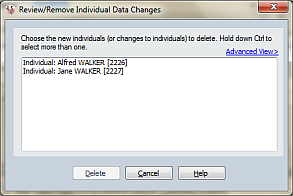
Review/Remove Individual Data Changes
Ancestral Sources allows you to add new individuals to your file or change the names of individuals. Until the source details being added are saved, these changes only exist within Ancestral Sources. Choose Review/remove individual data from the Edit menu to see a list of the changes made and if necessary to roll-back any of these changes.
Simply click on the new individual or name change and choose delete if you decide that you don't want to make any of the changes. If you want to remove multiple changes you can click on one of the entries and then hold down the CTRL (control) key and select the others.
Advanced View
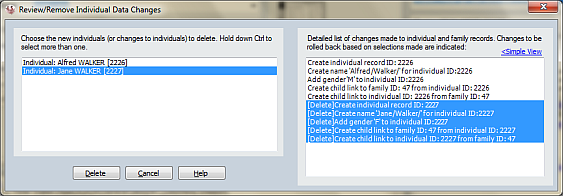
A seemingly simple addition of, for example, a sibling can actually require various changes to be made to the underlying GEDCOM data structures. As well as the individual, family records may need to be created, links made between the individuals and the family, etc. By clicking on the Advanced button you can see a list of all of these changes if you wish. As you select items in the left-hand list the list of changes that will be made are highlighted in the right-hand advanced list.