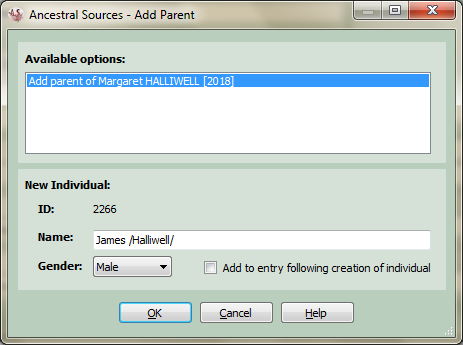
Add New Individual
This is accessed from the main screen by choosing one of the following options to add a new individual to the family history GEDCOM file:
If the individual has no parents or just one parent recorded then the name, gender and Custom ID (if the option to use Custom ID is selected in the Options screen) of this parent can be entered. The individual will be added to the file when the entry being created is saved. If the current source being edited is a census record, then a tickbox Add to entry following creation of individual will be displayed. If this is ticked then pressing OK will create the new individual and then add them to the census entry in a single step.
If the individual already has 2 parents then Ancestral Sources will give the option to create another set of parents.
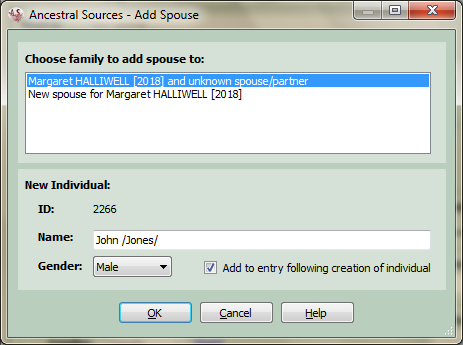
If the individual already has children that do not yet have another parent recorded then Ancestral Sources will give the option to make this new spouse their parent or make them an entirely new spouse. The name, gender and Custom ID (if the option to use Custom ID is selected in the Options screen) of this spouse can be entered. The individual will be added to the file when the entry being created is saved. If the current source being edited is a census record, then a tickbox Add to entry following creation of individual will be displayed. If this is ticked then pressing OK will create the new individual and then add them to the census entry in a single step.
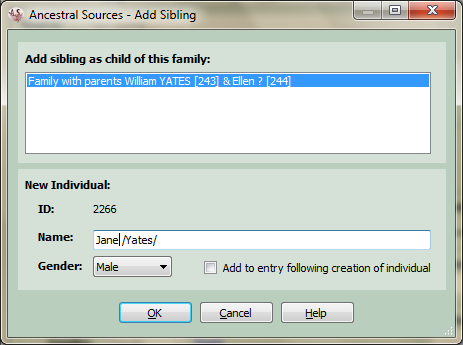
The name, gender and Custom ID (if the option to use Custom ID is selected in the Options screen) of this sibling can be entered. The individual will be added to the file when the entry being created is saved. If the current source being edited is a census record, then a tickbox Add to entry following creation of individual will be displayed. If this is ticked then pressing OK will create the new individual and then add them to the census entry in a single step.
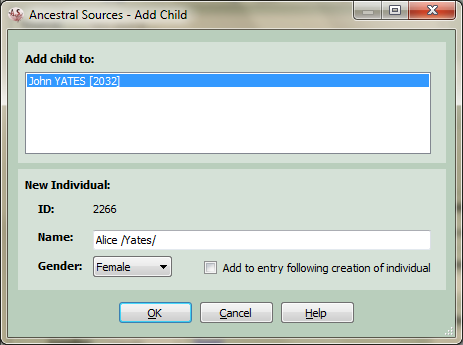
If the individual already has spouses recorded then the choice is presented to add this child to one of these relationships or to a previously unknown relationship. The name, gender and Custom ID (if the option to use Custom ID is selected in the Options screen) of this child can be entered. The individual will be added to the file when the entry being created is saved. If the current source being edited is a census record, then a tickbox Add to entry following creation of individual will be displayed. If this is ticked then pressing OK will create the new individual and then add them to the census entry in a single step.
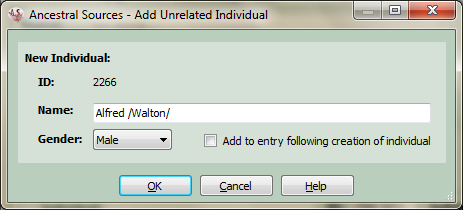
This option can be used if the individual to be added has no known relationship to an existing individual and therefore can't be added as a parent, spouse, sibling or child. It is available in the Edit menu and on the toolbar of the main form. The name, gender and Custom ID (if the option to use Custom ID is selected in the Options screen) of this person can be entered. The individual will be added to the file when the entry being created is saved. If the current source being edited is a census record, then a tickbox Add to entry following creation of individual will be displayed. If this is ticked then pressing OK will create the new individual and then add them to the census entry in a single step.