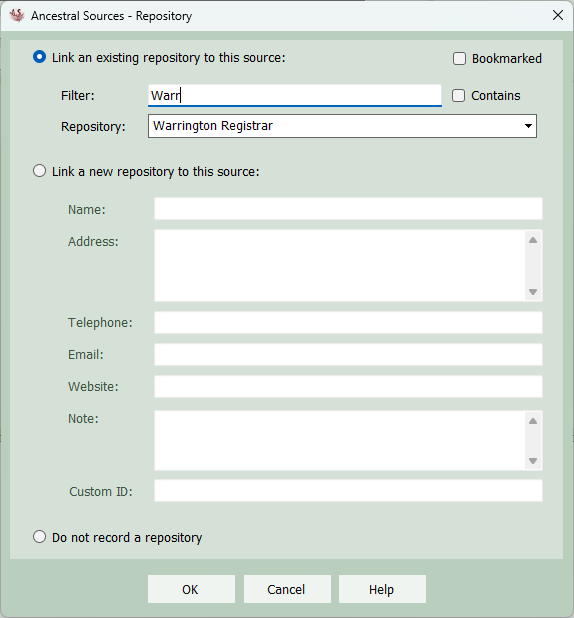
Repository
Repositories can be used to record the location where a particular source was found. It could be a building such as a record office, a website, etc. Not all users feel the need to link a source to a repository, this is down to personal choice of the researcher. It is not uncommon for a repository, such as a family history website or a large record office, to have hundreds of sources linked to it.
On the main screen, when creating a new source a Link a repository... button appears. This will also appear if an existing source is selected that doesn't already link to repository. Clicking this link button will cause the Repository screen to appear.
Either select an existing repository or enter the details of the new repository in the text boxes below. If you change your mind then here is a Do not record a repository option. To assist in selecting an existing repository, there is a name filter. The list of repositories will only show those that start with the text entered into the filter. If the contains checkbox is ticked then the list will show any repositories that include the text in the filter anywhere within the repository name.
If any repositories are bookmarked in Family Historian then a bookmarks check box will be displayed. Clicking this cause the list to just show the bookmarked repositories.