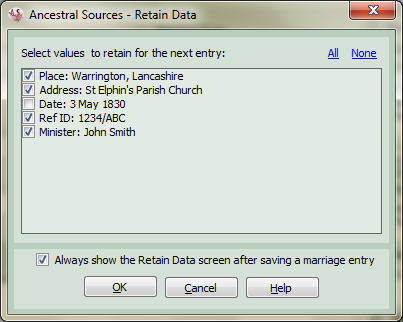
Retain Data
This screen appears immediately after saving an entry. It allows you to choose to select data from the entry to be left in some of the text boxes on the screen to be used in the next entry. This is particularly useful if, for example, you are transcribing parish records from a particular church where you might save time by retaining the place, address, minister, etc. The settings that can be retained depend on the source document type being used.
You can of course choose to not retain any of the data and you can also choose to never show the screen. If you choose to not show the retain data screen but in the future you do wish to use it you can do so using the by ticking the relevant offer to retain settings tick box on the Options screen.