Birth Events from Entry
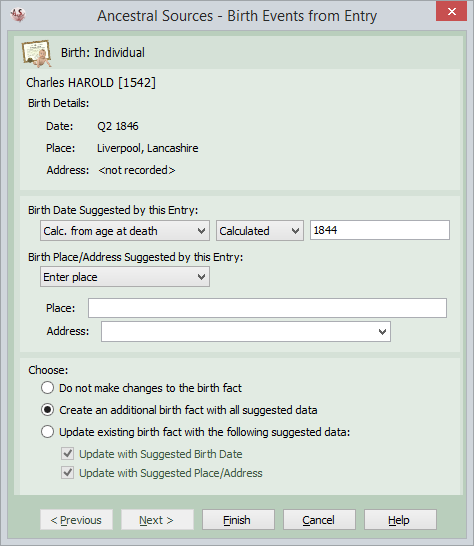
This screen appears when a non-census or non-birth source is saved. It offers the chance for a birth event to be created for the key person (or key people if a marriage). In addition if the Show Parent/Spouse Birth Data option has been selected then this screen will also offer the chance to create or update the birth information for the parents and/or spouse of the key person or people.
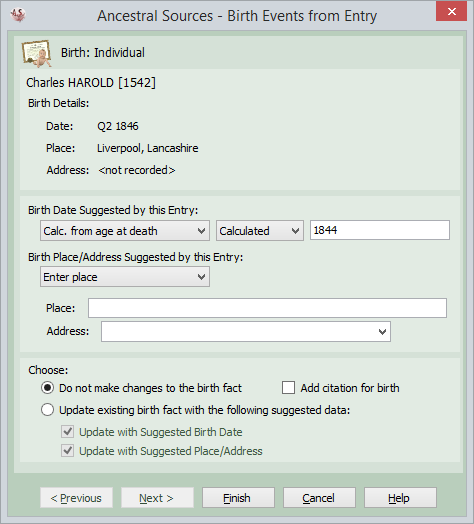
For each individual the top panel on the screen shows the name of the individual and the date and/or place of birth if known.
In the second panel options are given for possible dates and places of birth to be recorded. Depending on the source type and the data that has been entered there are several options that may be displayed here. For the birth date:
If you decide to choose one of these options then it is always possible to qualify the date entered as being calculated, estimated or approximated if you wish. Alternatively you can opt to use the After or Before qualifiers. Options will also be presented for you to choose the place/address of birth:
You may opt to not create a birth event, or create one having selected an appropriate option for birth date and place. If the individual already has a birth event recorded you also have the option to replace the event with the chosen birth date and/or place.
You may choose not to change the existing birth event. However, there is a checkbox you can tick to link a citation to the source if you feel that the source provides additional evidence for the birth entry being correct. There is an option to have this always ticked by default on the Options screen for each source type.
Although not used by the majority of genealogists, it is possible to record multiple birth facts for individuals. If the multiple births option is selected on the Options screen, then a further choice will be presented to allow for an additional birth entry to be created if an individual already has an existing birth entry.